
Mikrofoni datoriem


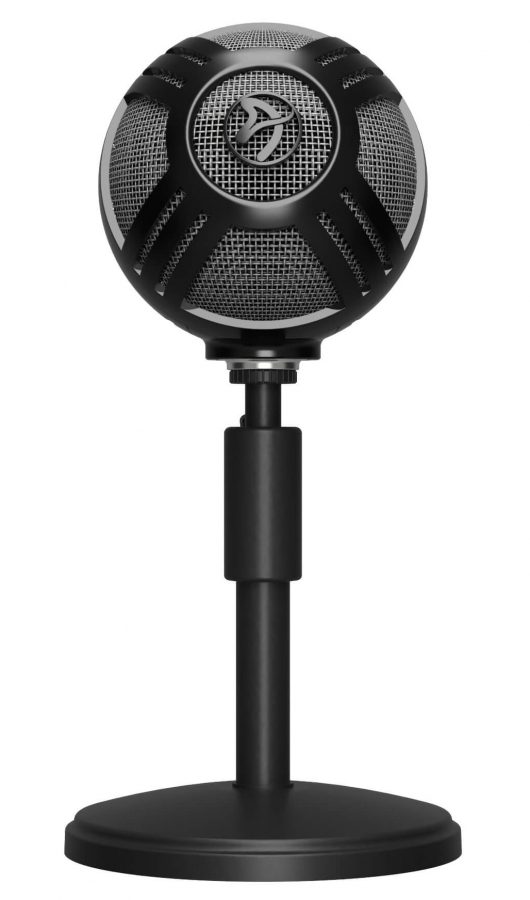
Arozzi Sfera Pro Microphone Black
GPL:21.75%, Procentu likme:5.90%, Noformēšanas maksa:2.00%, Ikmēneša administrēšanas maksa:0.39€ (0.49%). Līzinga kalkulatora aprēķinam ir informatīva nozīme, tas var atšķirties atkarībā no līzinga kompānijas procentu likmes izmaiņām pie pieprasījuma izskatīšanas. Atgādinām - aizņemies atbildīgi!
Frekvenču diapazons
Plug & Play easy to use
Optimal USB Streaming Microphone
The Sfera Pro is designed to be easy to use yet with high-quality condenser capsules so the audio is crisp & clear. It tailored to be the optimal streaming microphone with a variety of pickup patterns so the recording can be adjusted according to your personal environment. It is the ideal microphone from anything from gaming, online calls, & podcasts.
Features
- Plug & Play easy to use
- Boom arm attachable
- Volume dial control
- Pick-up patterns Cardioid, -10dB Cardioid, and Omnidirectional
- Headphone jack
- Mute button

Heavy Base
The Sfera Pro has a strong & heavy base to keep it stable where ever you place it. The cast metal is 0.4kg (0.88 lbs) with a coated rubber bottom to ensure its placement on your desk.
Pick-up Pattern: Cardioid
The Cardioid pick-up pattern is ideal for individual use, picking up the audio from the front of the microphone and not the back. This enhances the recorded audio by excluding any irrelevant noises behind the microphone.


Pick-up Pattern: Cardioid -10 dB
When you have very loud audio such as instruments the Cardioid -10dB reduces the sensitivity of the microphone so your sound stays crystal clear.
Pick-up Pattern: Omnidirectional
This pick-up pattern is for surround sound, picking up audio from all directions. This is very useful for when there are several people speaking or you want to move around in your recording space.


Cable Management
If you have a full streaming setup, cables can run everywhere if unorganized. The Sfera Pro has a cable management clip attached so the cable stays tightly connected to the microphone’s stand.
Headphone Jack
The Sfera Pro has a 3.5mm headphone jack on the back side of the microphone so you have the ability to plug in your headphones.


Mute Function
Need to quickly mute your microphone? Simply press the Mute Button to immediately mute the microphone so you don’t have to fumble in your audio settings.
Boom Arm Mount
No room on your desk for the Sfera Pro? Attach it to a boom arm that has a 5/8-inch thread mount so you can have more room on your desk.
